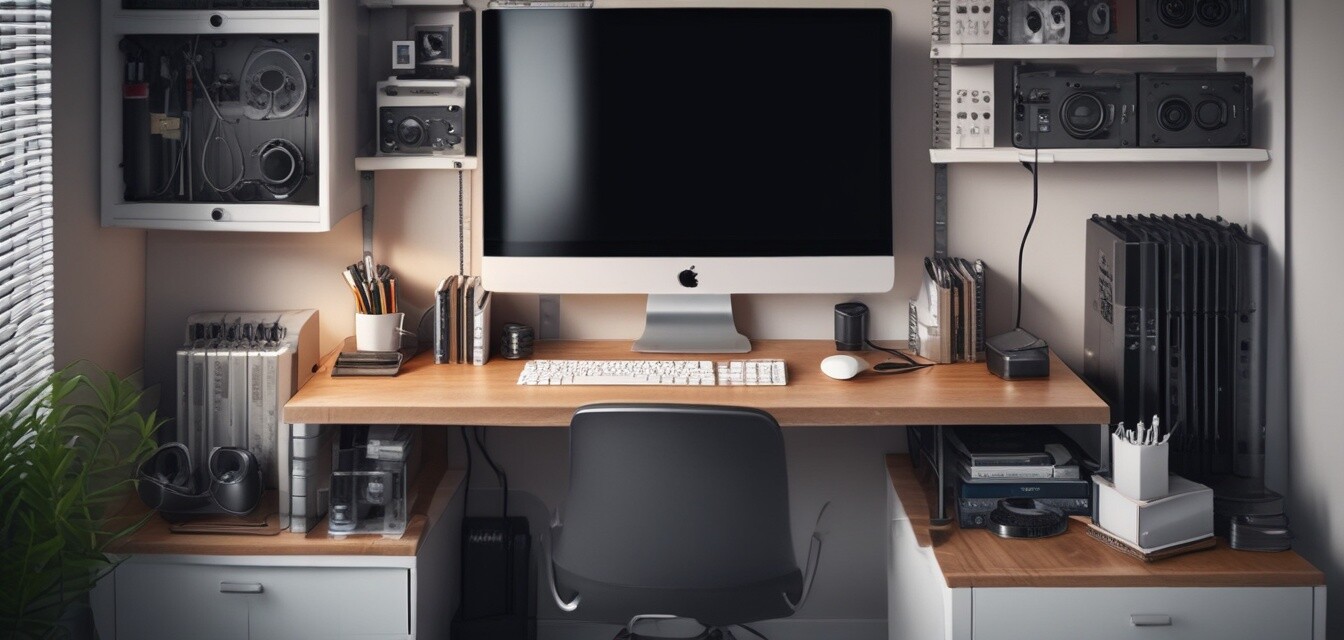
Tips for Managing Cables in a Small Home Office
Key Takeaways
- Use cable clips and holders to keep cords from tangling.
- Consider cable sleeves to bundle multiple cords together.
- Invest in a cable organizer box to conceal and manage excess cables.
- Regular maintenance is essential for a neat workspace.
- Evaluate your setup frequently to enhance productivity.
In the current trend of remote work, maintaining a small home office can become challenging, especially when it comes to managing cables. It's easy for wires to become tangled or cluttered, leading to a chaotic workspace that can hamper productivity. However, with effective strategies and the right tools, you can create a tidy environment that encourages focus and clarity. Below, we explore various methods for managing cables efficiently in smaller home office settings.
Understanding the Importance of Cable Management
A well-organized workspace is crucial for fostering productivity and concentration. Excessive cable clutter not only creates visual chaos but can also pose safety hazards. Loose wires can become tripping hazards and can put unnecessary stress on your devices. Additionally, by implementing effective cable management strategies, you can prolong the lifespan of your electronics by ensuring proper airflow and reducing wear on cords.
Common Cable Management Challenges
- Overlapping and tangled cables
- Lack of designated storage for cables
- Difficulty in identifying which cord belongs to which device
- Limited space in small offices
Effective Strategies for Managing Cables
1. Use Cable Clips & Holders
Cable clips and holders are compact solutions to prevent cables from tangling and keep them close to your devices. You can adhere them to your desk or wall to guide the cables along a clear path.
2. Implement Cable Sleeves & Covers
To maintain a neat appearance, consider using cable sleeves. These cover and bundle multiple cords into a single easy-to-manage unit. Not only does this reduce clutter, but it also simplifies maintenance.
3. Utilize Cable Organizer Boxes
Cable organizer boxes keep excess cables out of sight, making your space look tidy. Check out our guide on cable organizer boxes for options that suit your home office.
4. Explore Cable Management Kits
Comprehensive cable management kits offer various tools and accessories, making it easier to customize your setup. Discover more in our cable management kits category.
5. Implement Under-Desk Cable Management
Using under-desk cable trays can significantly reduce clutter by hiding cables beneath your desk. This not only makes your workspace appear cleaner but also keeps cables out of your way.
Maintaining a Clutter-Free Workspace
Maintenance is key to keeping your home office organized. Establish a routine to check your cables regularly:
- Assess cable organization monthly.
- Rearrange or add organizers as needed.
- Evaluate if any cables can be removed or consolidated.
- Dust and clean areas where cables are managed.
Advanced Cable Management Tools
For those who want to take their cable management to the next level, there are advanced tools available, such as:
| Tool | Benefits |
|---|---|
| Magnetic Cable Organizers | Hold cables securely in place, easy to reposition. |
| Weighted Cable Holders | Keep cables from moving around, ideal for heavy cords. |
| Wall Cable Channels | Hide cables along walls and prevent damage. |
Conclusion
Managing cables in a small home office doesn't have to be a daunting task. By implementing resources like cable ties, using effective storage solutions, and maintaining an organized system, you can create a professional and clutter-free workspace that enhances productivity. Take action today, and enjoy the benefits of a neat and efficient home office environment!
Pros
- Improves workplace safety.
- Enhances productivity by reducing distractions.
- Extends the life of your electronics.
Cons
- Initial setup can require an investment.
- May require frequent organization efforts.
Tips for Beginners
- Start with one area of your workspace at a time.
- Use labels to identify cords for each device.
- Don’t hesitate to seek professional help if needed.